

In today’s digital world, our laptops have become our second home. Whether it’s work, study, or creativity, we spend hours glued to our screens — and without proper habits, this slowly builds stress, fatigue, and long-term health issues.
We’re humans, not robots — we can’t keep typing and thinking endlessly. Our body needs care, and our health deserves attention.
The good news? With a few mindful changes, you can protect your body, boost your mood, and still get your work done like a pro.
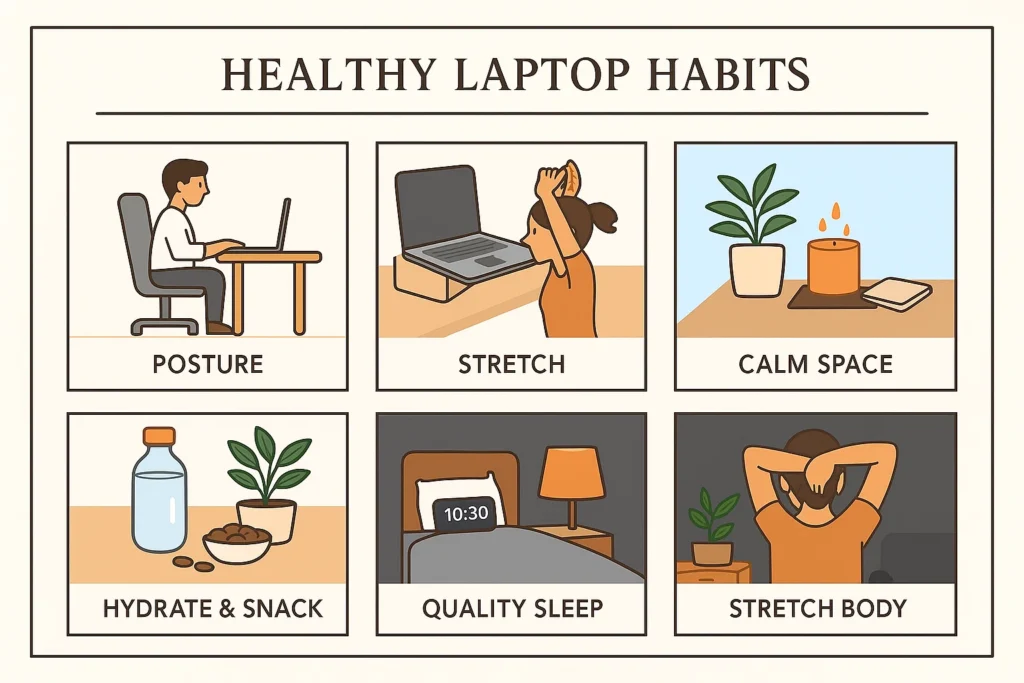
1. Prioritize Your Posture
Good posture is the foundation of stress-free laptop work.
- Keep your screen at eye level to avoid neck strain.
- Sit with your back straight and shoulders relaxed.
- Place your feet flat on the floor.
- Avoid working with the laptop on your lap — it affects posture and causes unnecessary heat exposure.
A comfortable posture not only reduces physical stress but also improves focus.
2. Follow the 20-20-20 Rule to Protect Your Eyes
Staring at a screen for hours can lead to headaches, blurry vision, and dry eyes.
Use the simple 20-20-20 rule:
Every 20 minutes, look at something 20 feet away for 20 seconds.
This tiny habit gives your eyes the break they desperately need.
3. Take Micro-Breaks — They Matter More Than You Think
Long, uninterrupted sitting is one of the biggest causes of exhaustion and back pain.
Try this:
- Stand or stretch every 30–40 minutes
- Walk for 2–3 minutes after every hour
- Rotate your wrists and stretch your shoulders
These micro-breaks keep your blood flowing and refresh your mind instantly.
4. Stay Hydrated and Eat Light
Dehydration and heavy snacking add to tiredness.
- Keep a bottle of water on your desk
- Sip regularly
- Prefer light, healthy snacks like fruits, nuts, roasted chana, or yoghurt
Hydration improves focus, mood, and energy levels — instantly.
5. Maintain a Clean, Calm Workspace
Your workspace affects your mental state.
- Keep your desk clutter-free
- Add a small plant or a scented candle
- Use soft lighting instead of harsh white light
A clean space = a calmer mind.
6. Stretch Your Body Throughout the Day
Gentle movements reduce stiffness and prevent long-term pain.
Try simple stretches:
- Neck rotations
- Shoulder rolls
- Back arches
- Wrist and finger stretches
Even 3 minutes of stretching can reset your entire system.
7. Set Clear Boundaries With Work
Laptop = work, but it shouldn’t take over your whole day.
- Fix your work hours
- Avoid checking emails late at night
- Keep your laptop closed when your work is done
Setting boundaries prevents burnout and gives your mind space to breathe.
8. Use Stress-Relief Techniques
Feeling overwhelmed? Try:
- Deep breathing for 1 minute
- Listening to soft music
- A quick walk
- A 5-minute meditation
These mini-relaxation moments bring your stress levels down almost instantly.
9. Sleep Well to Recover Fully
No amount of productivity can replace good sleep.
Aim for 7–8 hours of proper rest.
Sleep allows your body to repair itself and prepares you for a fresh, energetic day.
Working long hours on a laptop is unavoidable — but harming your health isn’t.
By taking care of your posture, taking breaks, hydrating, eating better, and calming your mind, you can stay healthy, happy, and stress-free.
Small habits create big changes.
Start today — your body will thank you tomorrow



Very true